 BriQ
BriQQueue management made simple.
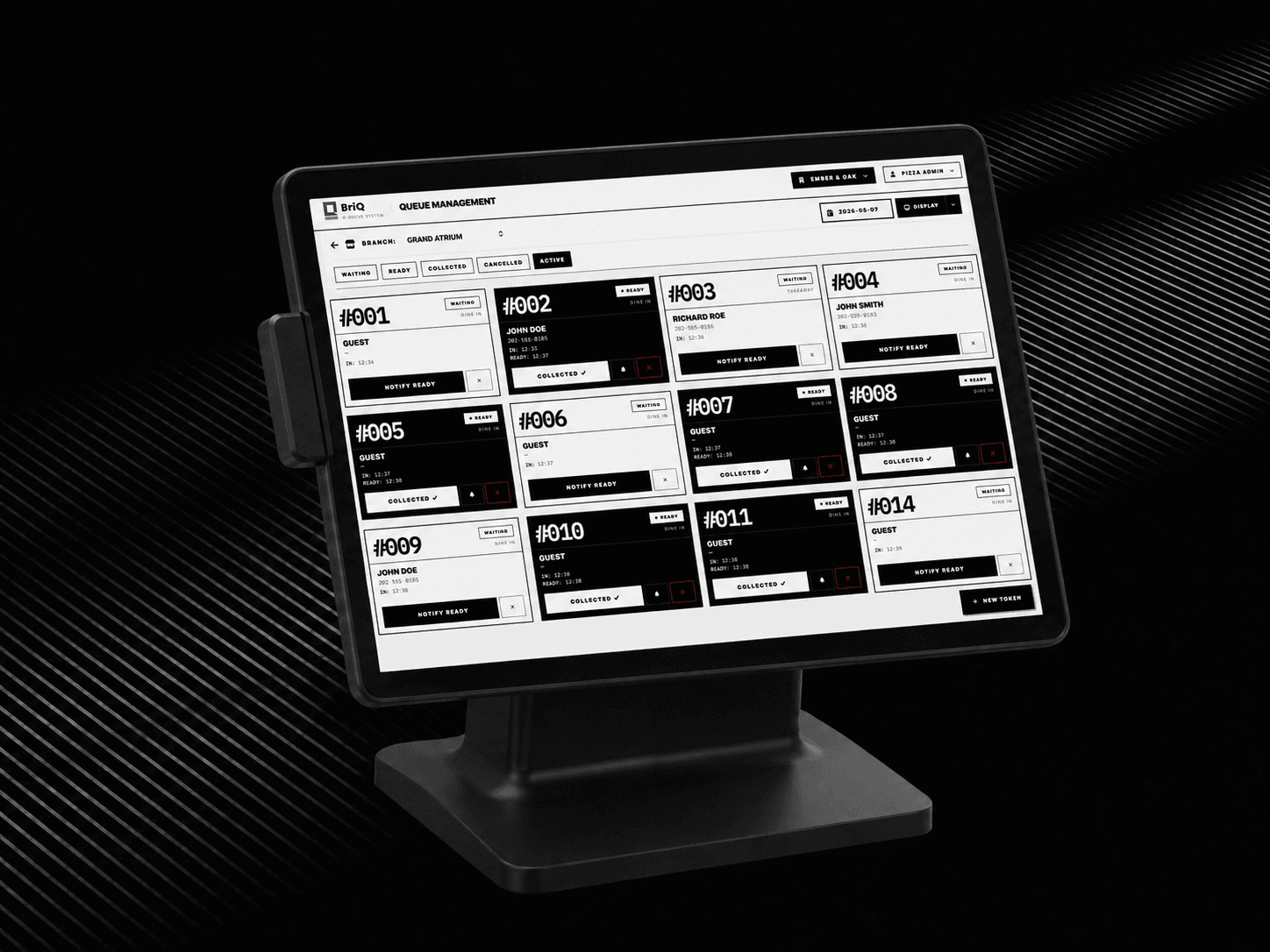
BriQ helps restaurants and hospitals manage customer queues efficiently through digital token systems, waiting management, and service flow monitoring — all in one easy-to-use platform.
- Reduce customer waiting confusion with digital tokens
- Improve service efficiency across all counters
- Better customer experience through timely notifications
- Organised queue handling for restaurants and hospitals
Problem Statement
Restaurants and hospitals that rely on manual queue handling face the same challenges day after day:
- Customer confusion about waiting order and time
- Crowded, stressful waiting areas
- Missed or skipped customers during busy periods
- No visibility into service flow or bottlenecks
- Staff overwhelmed managing queues manually
- No data or reports to improve operations
Our Goals
- Reduce customer waiting confusion
- Improve service efficiency
- Better customer experience
- Organised queue handling
- Real-time service flow visibility
- Data-driven operational insights
Core Features
Seven features. One seamless queue experience.
Digital Queue System
Replace physical queues with a fully digital system — customers receive a token and wait anywhere, eliminating crowding and confusion at your counter.
Token Management
Issue, track, and manage tokens seamlessly. Staff can create, transfer, or cancel tokens in seconds with a clean, intuitive interface.
Waiting Time Monitoring
Track real-time waiting times across all counters — helping managers balance load and reduce peak-hour delays.
Customer Notifications
Automatically notify customers when their turn is approaching — so they can wait comfortably instead of standing in line.
Multi-Counter Management
Manage multiple service counters simultaneously — assign queues, monitor activity, and balance customer flow across your entire operation.
Service Flow Tracking
Visualise how customers move through your service pipeline — from arrival to completion — and identify bottlenecks in real time.
Dashboard & Reports
Get a complete operational overview with real-time dashboards and detailed reports on queue volumes, service times, staff performance, and customer flow patterns.
User Flow
Smarter queues in three simple steps.
Set up your system
Configure your queue categories, counters, and service flow to match exactly how your business operates — restaurants, hospitals, or any service-based environment.
Issue digital tokens
Customers receive a digital token when they arrive, with their position in the queue and an estimated waiting time — no physical queuing required.
Serve and notify
Staff processes each token in order while customers are automatically notified when their turn is approaching — delivering a smooth, stress-free experience.
Ideal Target Customers
Advanced Reporting
Detailed daily summaries, queue history exports, service performance tracking, and customer volume analytics. Exportable to CSV, Excel, or PDF.
Get Started
Ready to transform your customer experience?
Join restaurants and hospitals already using BriQ to eliminate queue confusion, improve service efficiency, and deliver a better customer experience.